Draw, write calligraphy and design in two languages
Sketch with Apple Pencil or S Pen, write real Arabic calligraphy with a reed pen, and make posts, invitations and logos in minutes, in English and Arabic.
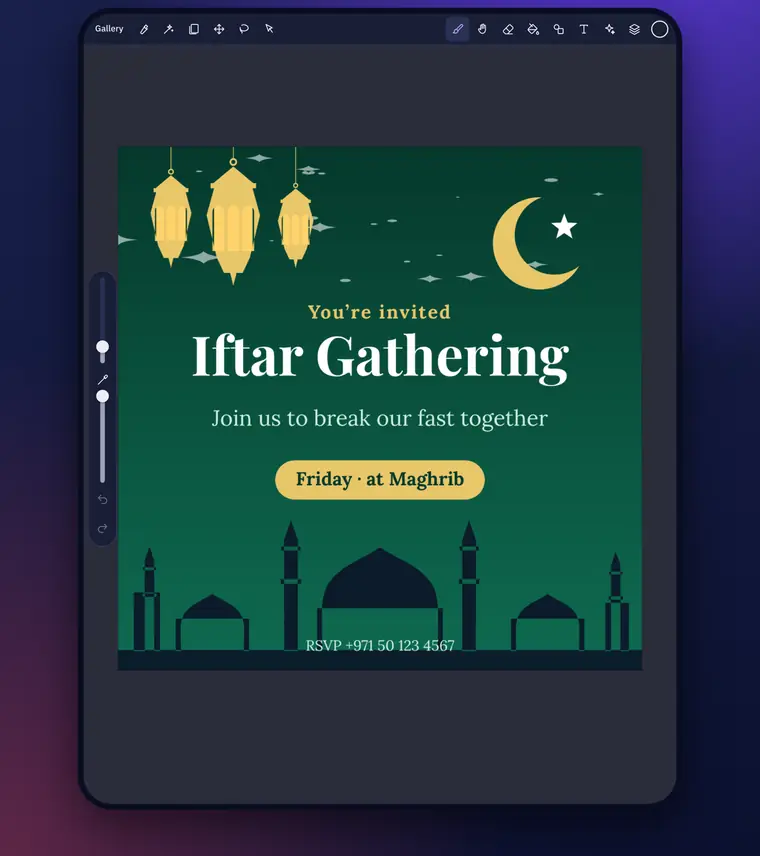
Everything you need to create, in one app
From a quick sketch to a print-ready flyer. Works in the browser today, and soon on iPhone, iPad and Android.
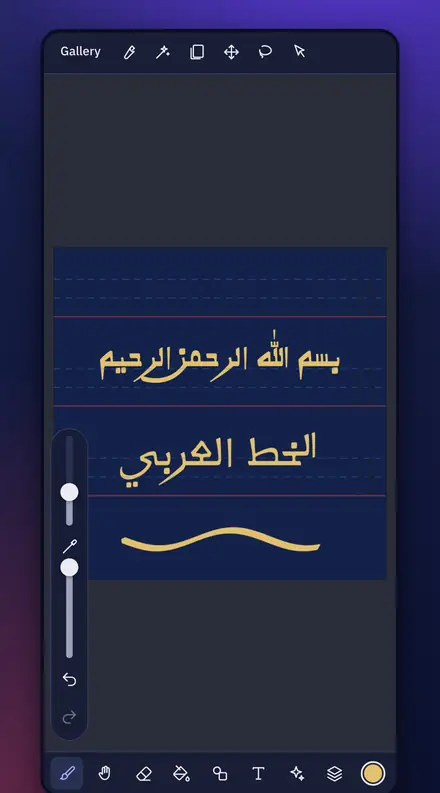
Real Arabic calligraphy with a reed pen
The nib turns like a real qalam, so thick and thin strokes come from your hand.
- Naskh, Thuluth, Diwani, Ruqaa, Kufi and Nastaliq pens
- Guide lines, paper colours and gold ink
- Kashida (tatweel) for elegant stretched words
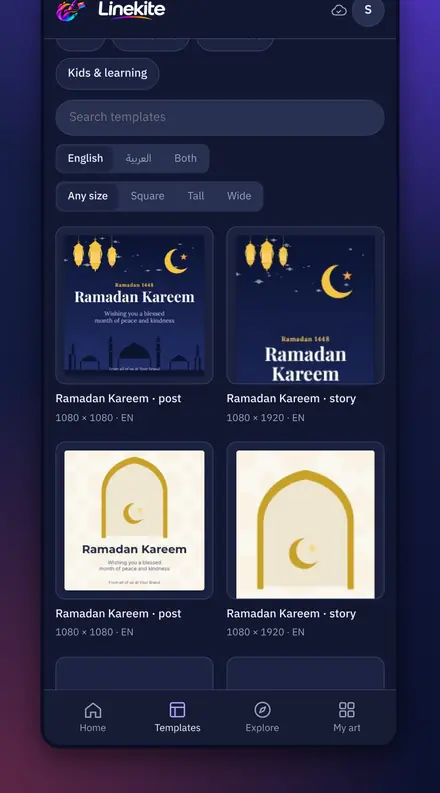
400+ designs ready to make your own
Every text, colour and picture stays editable, in English and Arabic.
- Ramadan, Eid and GCC national days
- Posts, stories, flyers, invitations, business cards and logos
- Sizes for Instagram, TikTok, WhatsApp, X and YouTube
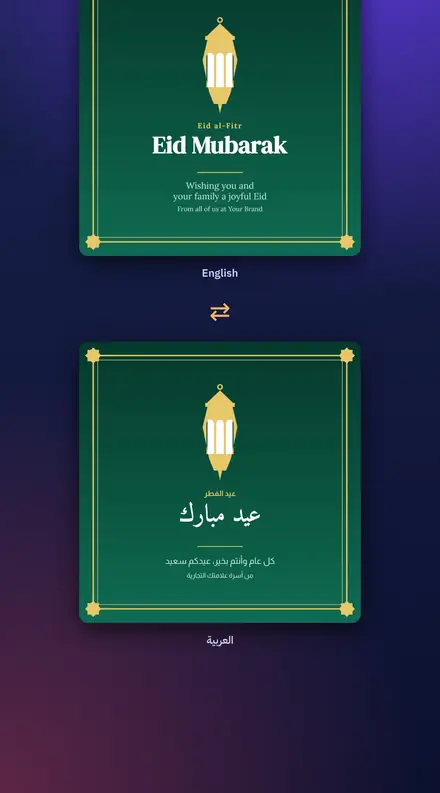
One tap, both languages
Make the Arabic version of your English design, or the other way round, mirrored right to left and ready to post.
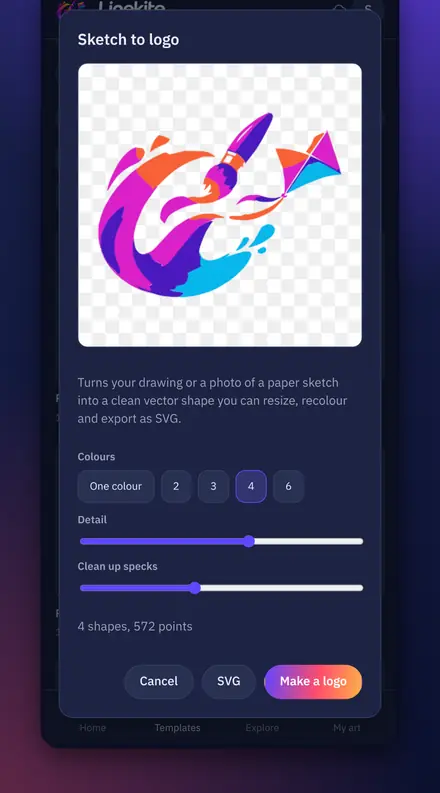
From a paper sketch to a clean logo
Draw a mark or take a photo of your sketch, and Linekite turns it into a crisp vector logo.
- Export SVG, PNG and print-ready PDF with bleed
- Logo kit sizes and mockups on t-shirts, mugs and phones
Pencil and S Pen first
Pressure, tilt and palm rejection, with the gestures you already know.
AI assistant
Describe a design and get an editable layout, logo ideas, slogans in both languages and colour palettes.
A real drawing app
Layers, blend modes, symmetry, perspective guides, animation and time-lapse.
Works with your files
Opens and saves Photoshop PSD, imports Procreate brushes, exports PDF, SVG, GIF and video.
Saved in the cloud
Your artwork is backed up to your account and opens on any device.
Share and get feedback
Send a link, and clients can comment and pin notes right on the design.
Ready for Ramadan and Eid
More than 100 Ramadan and Eid designs in both languages, plus a Hijri calendar on your home screen so you never miss an occasion.
Start free
Everything you need to start is free. Upgrade to Pro in the app when you want more.
Free
No card needed
- Drawing, calligraphy and design tools
- Templates in English and Arabic
- Cloud backup of your artwork
- Free AI uses every month
Linekite Pro
Monthly or yearly, in the App Store and Google Play
- Every brush and up to 100 layers
- PSD and time-lapse export, radial symmetry
- 2 GB cloud backup
- More free AI uses every month
Questions
Do I need to install anything?
No. Linekite works in Safari, Chrome and Edge on iPad, Android tablets, phones and computers. You can also add it to your home screen. The App Store and Google Play apps are coming soon.
Does it work with Apple Pencil and S Pen?
Yes. Pressure and tilt work in the browser, and the pen has priority over your palm.
Can I use my own fonts and brushes?
Yes. Import your own fonts, Procreate brushes and Photoshop brush tips, and keep your colours and logos in a brand kit.
Who owns what I make?
You do. Your designs are yours to use for personal and business work.
Your next design starts here
Open Linekite in your browser and start in seconds.
Open Linekite, it's free